
Business Reporting
Leadership reporting, assembled from the business you already run.
Business Reporting prepares executive briefings, board reports and operational summaries from finance, resourcing, project and risk information, with each section reviewed before it is shared.
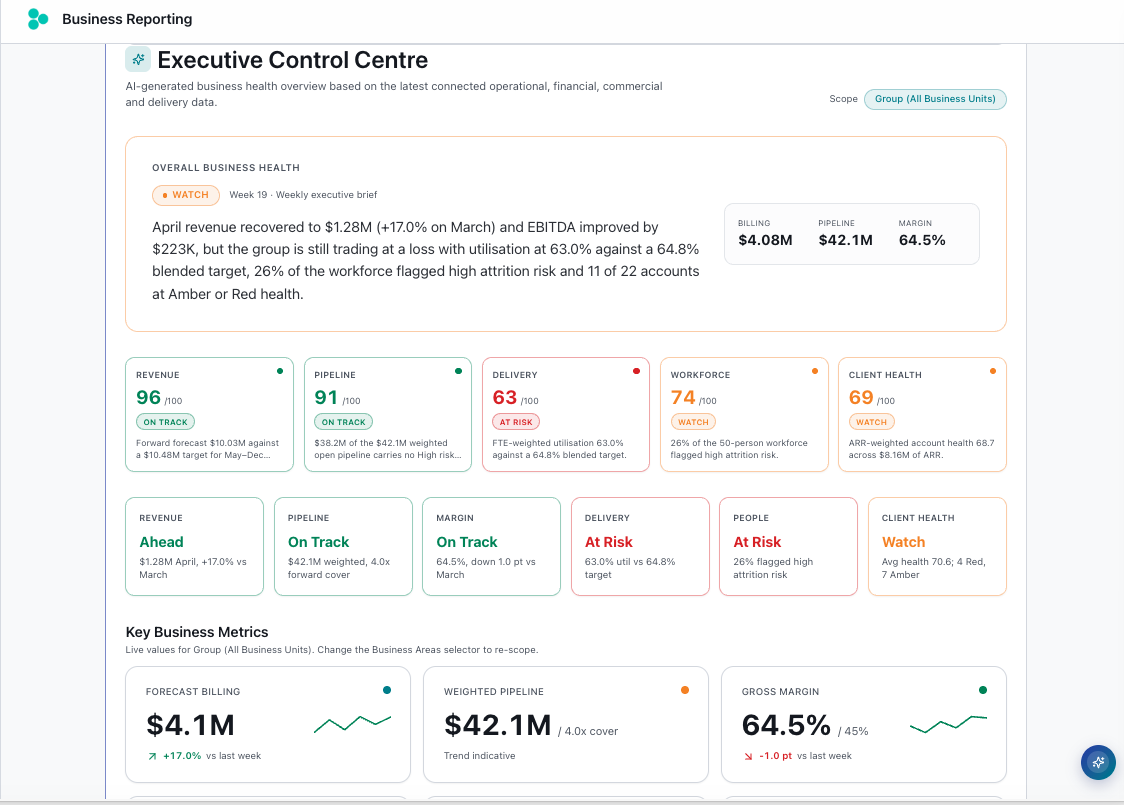
What Business Reporting delivers.
One connected view
Brings finance, resourcing, project and risk signals into one leadership narrative.
Ask Karli
Ask questions about the draft and add context before the report is finalised.
Reviewed section by section
Each section can be commented on, reviewed and approved.
Ready to share
Export to PowerPoint, Word or PDF, or use the interactive dashboard.
Monthly reporting shouldn't mean chasing every department.
Leadership reports are often assembled by collecting spreadsheets and slides from each team, then stitching them into a single story.
Business Reporting draws the relevant signals together so leaders can focus on the narrative and decisions, not the collation.
Four steps from scope to board pack.
Select areas
Choose business units, divisions or project portfolios and the reporting period.
Tailor template
Pick a report structure, such as a weekly leadership report or board snapshot, and set the focus areas.
Review
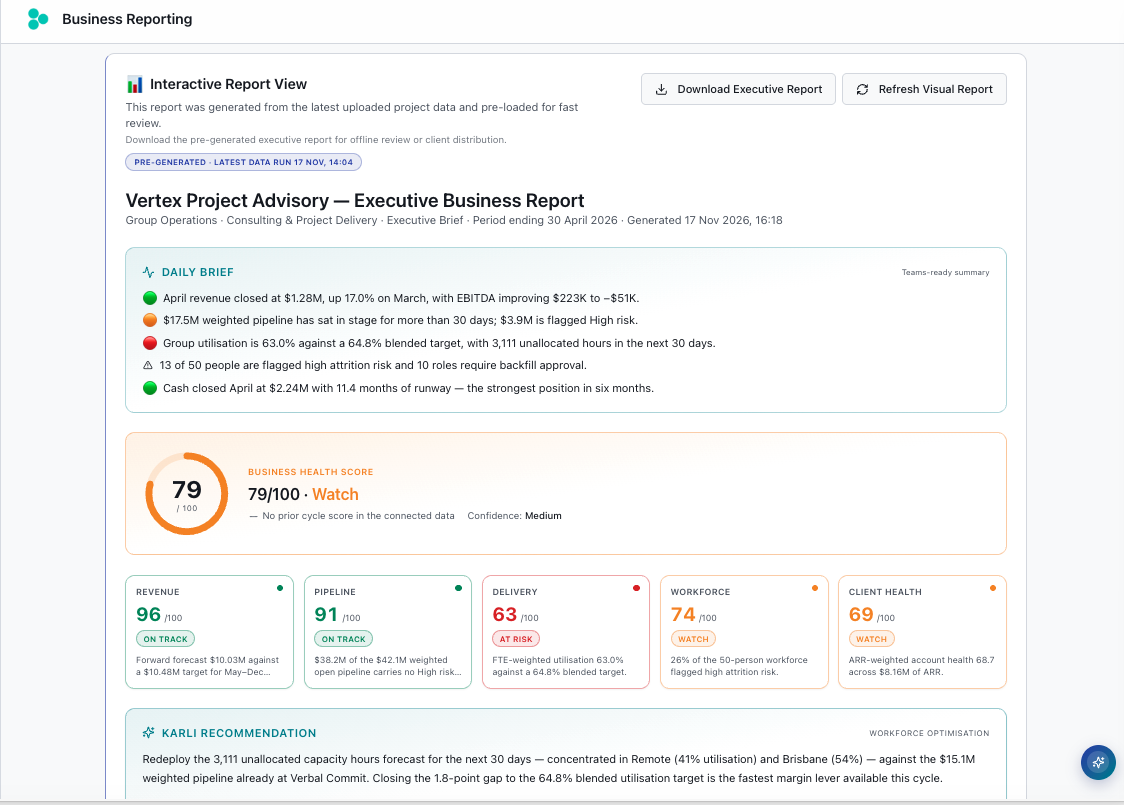
Review the draft summary, KPIs, risks and period changes, and use Ask Karli to interrogate it.
Export
Export the approved briefing to PowerPoint, Word or PDF.
Leadership-ready outputs.
How Business Reporting connects across Karli.
Business Reporting draws on information from assistants across Run the Business and Deliver Projects.
Finance & Commercial Intelligence
Finance and commercial information can inform the briefing.
Explore Finance & Commercial Intelligence Run the BusinessResource Intelligence
Capacity and resource signals can be included.
Explore Resource Intelligence Deliver ProjectsProject Intelligence
Project status and health can feed the leadership view.
Explore Project IntelligenceConfigured to your business.
Delivered through Karli, built by GeckoAi.
Business Reporting is configured around your business units, reporting structures and focus areas. Start with one capability and expand across Karli over time.
What's included in the deployment
Everything required to get your team using Business Reporting in production: configured, connected and supported.
Built for leadership teams.
Powered by the Karli Knowledge Layer
Business Reporting draws on shared, approved information across Karli, so leadership reports start from the same information your teams already use.
See Business Reporting in action.
A 30-minute walkthrough of how leadership reports can be assembled for your business.